Phone Number with Email Address: How to Find Public Ones

The usual advice is to paste an email into a lookup tool and accept whichever phone number comes back. That skips the hardest part: proving the number and address belong to the same business, are current enough to use, and suit the intended channel. Finding a phone number with email address details is a record-matching job, not just a search.
Start with public business sources, preserve what each page states, and keep uncertain matches out of your sending queue. A smaller list with defensible pairs is more useful than a large export nobody can explain.
Table of Contents
- Where public phone and email pairs are published - Choose sources by business type
- The collection procedure - Fields to store on every paired record
- Pairing signals ranked by strength - Resolve conflicts before merging
- Run checks in the right order - Status labels for each contact field
- Spend effort where completion is plausible - Report usable outcomes
Why a Paired Record Beats Two Separate Lists
A spreadsheet full of scraped emails leaves a sales rep searching for phone numbers. A separate calling list creates the opposite problem: nobody knows which inbox belongs to the business they've just called. Joining those files by trading name alone can attach the wrong contact to the wrong company.
A paired record holds the business identity, phone, email, source for each field, capture date, and separate status labels. That structure gives the researcher something to check and the person handling outreach something to reference. It also makes corrections possible without rebuilding the list.
Email remains a sensible anchor. In 2024, 68% of global consumers ranked email among their top three preferred channels for brand communication, according to Twilio's Global Messaging Engagement Report. A suitable business number provides another route when a conversation calls for it, not an excuse to chase someone across channels.
Practical rule: Store the evidence for the relationship between the fields, not just the fields themselves.
Publicly listed means the owner published the detail on a business profile, company website, directory listing, or public document. It establishes discoverability, not permission to market.
Build your business contact list around that distinction. For teams moving records into enrichment and routing systems, H2's guide to linking outreach channels to Clay workflows is useful context for keeping channel decisions attached to the same record. The operational requirement is straightforward: every export should preserve identity, provenance, and approval status together.
Where Public Phone and Email Pairs Are Published
Don't assume the pair will appear on a single page. Choose a primary source for discovery and a second source for corroboration, based on the type of business you're researching.
A local plumber's map listing may provide the phone while the website supplies the email. A creator may publish an email through Instagram's contact button but put booking details on a separate site. Search the places where that business handles enquiries, rather than repeatedly querying its name.
Where public phone and email pairs are published
| Source | What is usually published | Phone and email together | Typical coverage | Effort |
|---|---|---|---|---|
| Instagram business or creator profile | Public contact-button email, owner-added phone, website, category | Sometimes | Business pages, creators, and coaches are useful targets | Low in bulk, high by hand |
| Google Business Profile | Phone, website, address, opening hours | Usually phone-led, email uncommon | Useful for local service businesses | Low |
| Company website contact and about pages | Role addresses, switchboard, postal address, company identifiers | Often | Established businesses with maintained sites | Medium, inspect each company |
| Facebook business Page | Phone and email in About or contact details | Often when completed | Businesses maintaining an active Page | Low |
| LinkedIn company page | Website and sometimes a switchboard | Rarely | Better for identity checks than email discovery | Low |
| Trade association and directory listings | Phone, business description, email or enquiry form | Sometimes | Members and listed firms within the niche | Medium |
| Public PDFs such as price lists and tender documents | Contact details beside a business or legal entity name | Often in contact blocks | Document-publishing businesses, low-volume discovery | Medium |
| Email signature blocks | Direct phone, email, role, company address | Only when the sender includes both | Existing correspondence you're entitled to use | Low |
Treat these as search priorities, not coverage guarantees. A company can have a polished website with only a form, and a signature can omit the phone entirely.
Choose sources by business type
For local services, start with Google Business Profile and the linked company website. Check the branch address before carrying a number across: a national brand's central office and a local franchise aren't interchangeable.
For creators and coaches, use the Instagram profile plus the linked portfolio or booking site. Business pages, creators, and coaches tend to publish emails more often than other account types. Read the contact button as well as the biography; they're separate places to publish information.
For B2B companies, use the website as the contact source, LinkedIn for company context, and a relevant directory as a cross-check. Directories that expose only a form haven't supplied an email address, so don't manufacture one from an employee's name.
Public PDFs can help resolve legal identity, but check the document's age and purpose. A tender's named procurement contact isn't automatically the right recipient for a sales pitch. When collecting web-scraping leads, retain document context alongside the extracted string.
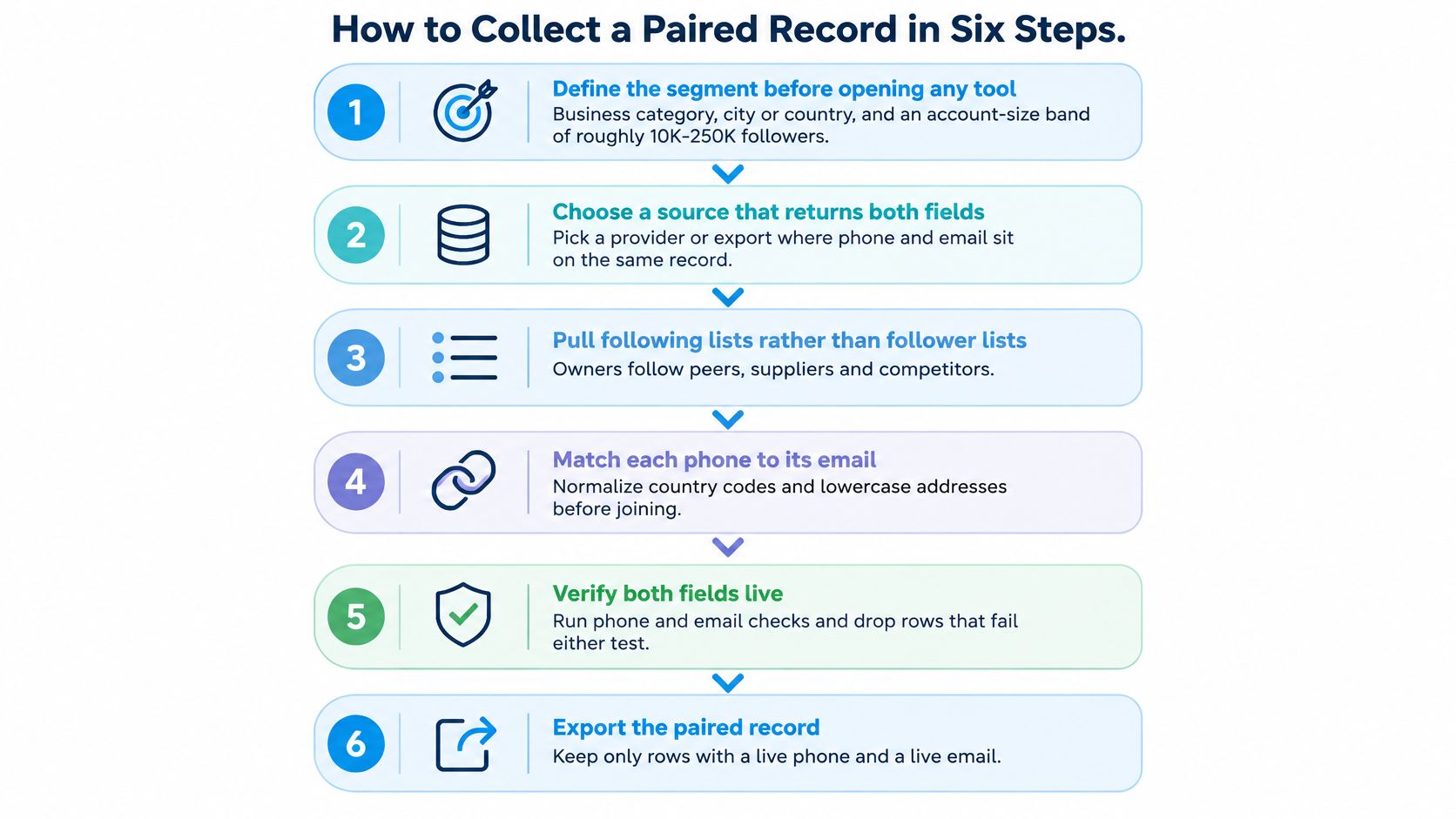
How to Collect a Paired Record in Six Steps
Keep collection separate from validation. A researcher's first job is to capture evidence faithfully, not to turn every visible string into an approved contact.
NIST's identity-proofing guidance separates resolution, evidence collection, validation, verification, and presence. That's a useful control model for contact work, although collecting public business details isn't itself identity proofing.
The collection procedure
- Define the segment before opening a tool. Specify business category, city or country, and what makes the business relevant. For Instagram research, add an account-size band appropriate to the segment rather than treating every account as a prospect.
- Choose complementary sources. Assign a primary discovery source and a corroborating source, such as a map listing plus the business website. Write that source rule into the job instructions so researchers don't improvise inconsistent matches.
- Capture the complete profile. Record business name, profile reference, website, public email, phone, category, location, and follower count where available. Our collection process checks each profile individually beyond the biography for public email, phone, category, and website.
- Inspect the linked website. Read its contact page and footer for the trading name, legal entity, role inbox, and switchboard. If the site belongs to an agency, marketplace, or booking platform, don't attribute that platform's contact details to the profile owner.
- Preserve raw values beside matching values. Keep the original phone and email, then create normalized fields using country context for the phone and lowercase email domains. Preserve the email's local part in the original, even if your matching key uses a lowercase copy.
- Import as a candidate. Load the record into a sheet or CRM with field-level sources, collection dates, and an unconfirmed pairing status. Promote it only after corroborating evidence supports the business association; technical checks come separately.
Use the visual workflow as a checklist, but retain uncertain records for review rather than treating failed checks as proof that a business doesn't exist.
Fields to store on every paired record
| Field | What to capture | Example |
|---|---|---|
| Business name | Trading name as published | Name printed on profile or footer |
| Profile URL | Primary public profile reference | Original profile link |
| Website URL | Site linked from the profile or listing | Published company site |
| Public email raw | Address exactly as displayed | Hello@company.example |
| Email normalised | Matching copy, original retained | hello@company.example |
| Phone raw | Displayed number, including extension | Published spacing and extension intact |
| Phone E.164 | International form, extension separate | Plus sign, country code, national number |
| Source URL | Exact page supporting each field | Contact page or public PDF |
| Capture date | Date of collection | Spreadsheet date value |
| Status | Unconfirmed until corroborated | candidate |
Add columns for extension, legal entity, check date, failure reason, and reviewer when the workflow needs them. Don't squeeze several source references into an unstructured notes cell.
Our CSV structure includes username, full name, public email, phone, biography, follower count, category, and external URL; country enrichment is optional. Those profile fields provide collection context, not a substitute for confirming that a website number belongs with the exported email.
Matching the Phone to the Right Email
Say a map listing shows a mobile, the website shows a landline, and the social profile supplies an email that differs from the booking page. None of those differences proves an error. The business may use separate channels for sales, reception, and an owner's enquiries.
Choose the pair for a stated purpose. Prefer a relevant address on the company's own domain over an unexplained free-mail address, and prefer a current company contact page over an unsupported social listing. A published booking inbox and reception number form a business-level pair, not proof of a named person's direct details.
Pairing signals ranked by strength
| Signal | Strength | Watch out for |
|---|---|---|
| Email domain matches the website on the business profile | Strong | Freelancers may legitimately use free-mail addresses |
| Website phone matches Google Business Profile | Strong | Campaign tracking numbers can differ |
| Postal address matches across sources | Strong | Coworking and virtual-office addresses are shared |
| Trading name matches the profile name exactly | Medium | Rebrands and legal names can differ |
| Email appears beside the phone in a footer | Medium | Stale or incorrectly copied footer details |
| Identical email appears on many profiles | Weak | An agency or manager may represent several businesses |
| Phone area code matches the listed city | Weak | Portability and mobile use undermine location assumptions |
| Contact-button email differs from biography email | Requires comparison | Preserve both; prefer the clearer current business-purpose address |
Resolve conflicts before merging
Use E.164 for the phone matching key, applying the business's country context rather than guessing from the digits. Split extensions into their own column and retain the original string so a reviewer can reconstruct the transformation.
Deduplicate email and phone separately before deduplicating the whole pair. The same switchboard can support several branches or employees; the same inbox can serve several locations. An exact phone match therefore isn't enough to merge company identities.
A shared number is evidence of a relationship, not proof that the records describe the same person.
Mobile subscriptions also aren't unique-person counts, a distinction documented alongside the International Telecommunication Union's mobile subscription data on Our World in Data. People can hold multiple subscriptions, and subscriptions can be shared or used by machines.
Keep disputed matches in a review queue with the competing values intact. Good contact data enrichment adds evidence and resolves ambiguity; it doesn't overwrite the inconvenient value just to produce a complete row.
Verify and Label Every Field Before You Use It
A string on a page is a candidate, not a reachable contact. Format, mailbox behaviour, business association, and outreach eligibility answer different questions. Store them separately.
The Scrapine contact-data accuracy benchmark reports phone accuracy ranging from 45% to 78% across source-quality categories, compared with 62% to 85% for email. These ranges aren't a forecast for your segment, but they're a reason not to promise a clean paired list before testing it.
Run checks in the right order
For email, create the matching copy, validate syntax, inspect domain mail routing, account for provider behaviour, and classify catch-all, disposable, and role-based addresses. An MX record doesn't prove a mailbox exists, and acceptance by a catch-all server doesn't establish that the named recipient exists.
For phone, check the normalized number against country and numbering metadata. Record whether it appears to be mobile, landline, switchboard, or support. A structurally plausible number still might be disconnected, reassigned, or answered by someone unrelated to your intended contact.
Status labels for each contact field
| Status label | What it means | What to do next |
|---|---|---|
| Publicly displayed | Seen verbatim on a public source | Save source and capture date |
| Syntax valid | Passes email or country-specific number format checks | Continue validation |
| Domain has MX | Domain publishes mail-routing records | Don't infer mailbox existence |
| Accepted by provider | Server accepted the address during a check | Retain uncertainty and check timestamp |
| Catch-all domain | Domain accepts arbitrary recipient addresses | Quarantine pending other evidence |
| Recently observed | Re-observed within your documented freshness window | Prefer for review and activation |
| Role based | Departmental address rather than named individual | Assess business relevance and permission |
| Personal | Named individual's email or personal mobile | Apply personal-data safeguards |
| Phone normalised | International format stored, extension separate | Use matching value, preserve raw string |
| Phone type valid | Metadata supports the classified line type | Don't infer that someone will answer |
| Hard bounce | Permanent delivery failure | Suppress until independently corrected and revalidated |
| Opt out | Recipient requested no further contact | Suppress the applicable scope; don't evade it through another channel |
Timestamp checks and save failure reasons. A temporary provider refusal needs a different response from malformed syntax or a permanent recipient rejection.
Quarantine ambiguous records instead of deleting them. A role address may be exactly right for a supplier enquiry, while a catch-all result may need manual confirmation. Neither deserves an unconditional verified person label, and a successful phone check must never upgrade the email's status.
Tips for a Higher Usable-Contact Yield
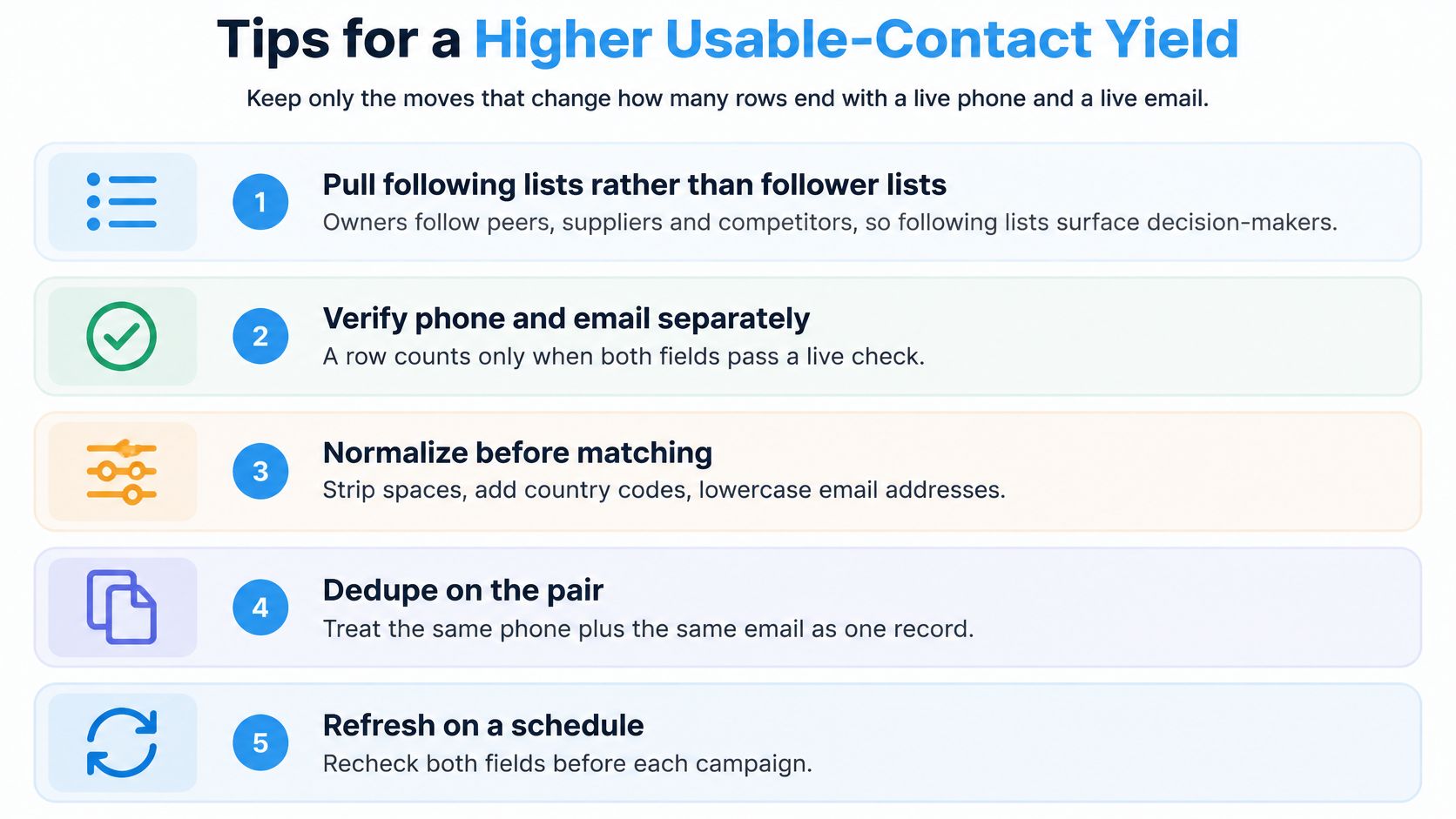
Improve yield by changing what researchers inspect and which incomplete rows they prioritize. Extracting more profiles won't fix poor segment selection or unsupported pairing.
Spend effort where completion is plausible
- Test following lists first. In our collection workflow, following lists almost always produce better public-email rates than follower lists. Owners' following lists can surface peers, suppliers, and competitors rather than only fans.
- Prioritize resolvable rows. Spend manual website research on records with a clear site or legal name. Park email-only rows without an identity trail instead of guessing a phone match.
- Refresh according to risk. Set a documented recheck window for volatile sources and recheck contact fields before campaign use. A newly captured page can still contain an old address, so freshness and correctness need separate judgments.
Measure email performance beyond address validation. Validity's deliverability benchmark distinguishes inbox placement from spam-folder placement using seed testing across mailbox providers and filters. Before scaling, authenticate your sending domain with SPF, DKIM, and DMARC, suppress hard bounces, and run controlled placement tests.
Report usable outcomes
Use mutually exclusive reporting buckets: both fields usable, email only, phone only, and quarantined. Divide each bucket by the inspected records, keeping the denominator consistent. Define usable to include identity confidence and channel eligibility, not merely a successful format check.
Count approved business records, not extracted strings.
Start review with the both-fields bucket because it offers the most complete evidence. Don't assume that completeness authorizes both channels, and don't discard a relevant email-only prospect because no public phone exists.
Sort and Approve the List Before You Send
The final decision is whether a particular record can support a particular action. Technical validation doesn't make that decision for you.
The UK Information Commissioner's Office guidance on electronic and telephone marketing explains that PECR restricts unsolicited marketing across channels, and that consent may need to identify the organisation and communication type. Permission for calls doesn't necessarily cover texts; data-protection rules can also apply to B2B contacts using a person's name or phone number.
Approve the intended use
- One-to-one research. Record the purpose, recipient relevance, source, and proposed channel. A personal message can still be direct marketing, so manual sending isn't an exemption.
- Bulk marketing email. Document the applicable lawful basis, any required consent, recipient classification, and a working opt-out. Don't treat a public contact button as evidence of subscription.
- Automated calls and texts. Require channel-specific approval and the permission required in the recipient's jurisdiction. Store permission evidence separately from the phone-validation result.
Treat sole-trader and creator details cautiously, even when the profile describes a business. If the recipient's location or legal status is unclear, hold the record rather than applying the least restrictive interpretation.
Maintain a central suppression register with channel and request scope. Keep permanent email failures distinct from broad no-contact requests, and never switch channels to circumvent an objection.
For Instagram segments, HarvestMyData provides a per-profile export of publicly listed emails and available phone numbers for this review workflow. Keep uncertain pairs quarantined, assign an owner to approval, and release only the records approved for the specific activity.
HarvestMyData extracts publicly listed Instagram emails and available phone numbers into structured CSV and Excel files, giving you a starting point for paired business records. Visit HarvestMyData to collect a defined audience, then apply source checks, field-level labels, and channel approval before outreach.
We built HarvestMyData to handle all of this for you.
No proxies, no code, no account needed.