Instagram Audience Analysis: How to Read Your Numbers

Open Instagram Insights and you'll see your audience. That's the standard advice, and it's wrong for most audits. Insights describes one account you control, under limits the platform sets. It tells you little about a competitor, a partner, or a prospect pool.
A defensible Instagram audience analysis starts by admitting you can't see the audience whole. You record what you observed, label what you estimated, and judge segments by reach and intent, not by follower count alone.
Table of Contents
- The Working Rule for Missing Data
- Why the Denominator Matters - Pick One Primary Metric per Decision
What Native Insights Hides From You
If you don't own the account, you don't get its demographics. Instagram's official demographic data is restricted to authorized Business and Creator accounts, may hide metrics for accounts below 100 followers, exposes only the top 45 audience segments, and can lag by up to 48 hours, as described in Phyllo's guide to the Instagram Graph API for audience insight. Native Insights is also limited to an account's own data, with no competitor benchmarking, scalable hashtag analysis, or long historical comparisons.
That means a polished demographic chart can still leave location, language, business relevance, contactability, and recent activity incomplete.
| Native Insights Limit | Effect on Your Analysis | Workaround |
|---|---|---|
| Demographics restricted to Business and Creator accounts | Competitors and prospects show no demographic data | Infer from public bio, category and location signals and label as estimates |
| Metrics hidden below 100 followers | Small accounts cannot be read from Insights | Sample public profiles of that size |
| Only the top 45 audience segments shown | Long-tail cities and languages disappear | Report the share of audience the visible segments cover |
| Data can lag by up to 48 hours | Recent shifts are missed or mismatched | Timestamp every pull and compare like with like |
| Own-account data only | No competitor benchmarks | Build benchmarks from a public sample grouped by follower tier |
| No scalable hashtag analysis or long history | No trend baseline | Save monthly snapshots and keep them |
The Working Rule for Missing Data
Keep observed facts and estimates in separate columns. For every number, state whether it came from the platform or from public profile signals, and add coverage and missing-field rates.
Practical rule: If a field is inferred, write "estimated" next to it. Don't let formatting make it look verified.
If you do own the account, pull demographics from Insights and estimate only what Insights can't give you. A useful next step is learning how to turn Instagram analytics into action, then compare native fields with the options reviewed in our guide to Instagram analytics tools and what they can actually show.
Public-profile work stays defensible when it reads only publicly available information. We provide publicly available contact information extraction from social media profiles and other public sources, and we don't access private accounts or protected content.
The Metrics a Real Audience Analysis Records
Follower count measures the size of an account. It doesn't measure the value of its audience, and it isn't market size.
A useful audit records seven numbers for every segment. That forces you to separate audience composition, content response, and audience quality instead of collapsing them into one headline figure.
| Metric | Formula | What It Tells You | Common Misread |
|---|---|---|---|
| Follower count | Total followers | Scale of the account | Treating it as market size |
| Age and gender split | Share of audience per bracket | Who is in the audience | Treating inferred labels as verified |
| Engagement rate by followers | (Likes + comments + saves + shares) ÷ followers × 100 | Response per follower | Averaging across account sizes |
| Reach rate | Reach ÷ followers × 100 | Share of the audience that saw content | Confusing reach with impressions |
| Save rate | Saves ÷ reach × 100 | Intent to return | Ignoring post format |
| Send and share rate | (Sends + shares) ÷ reach × 100 | Spread beyond followers | Reading shares as likes |
| Following-to-follower ratio | Following ÷ followers | Network behaviour and bot signals | Judging one profile in isolation |
Why the Denominator Matters
Engagement rate by followers answers a narrow question. It tells you how many recorded actions you got per follower, including followers who never saw the post. That's useful for comparing similar accounts, but it punishes accounts with many inactive followers and flatters small accounts with a tight, active base.
Reach-based metrics ask a different question. Once content reached someone, did that person save it or send it on? Saves suggest intent to return. Sends and shares suggest the content was worth passing to someone else. Those are closer to distribution and intent signals than a like is.
Age and gender splits need the most care. If they're inferred from bios, names, or profile signals, they're probabilistic. Record them, but don't treat them as verified identity and don't use them for absolute targeting decisions on their own.
The following-to-follower ratio works at cohort level. One profile with a high ratio proves little. A cluster of profiles with high ratios, sparse bios, and repetitive activity is a screening flag.
Pick One Primary Metric per Decision
Don't rank everything by everything. For content decisions, lead with reach rate, save rate, and send rate. For outreach, lead with contactable share and business relevance. For partner selection, lead with tier-adjusted engagement and audience fit. Use the other metrics as checks, not as equal votes.
How to Build a Clean Audience Sample
Your sampling frame defines what your audience means. Followers show exposure. Commenters show visible intent. Likers sit between the two. Mix those sources without labeling them and your conclusions are muddy from the start.
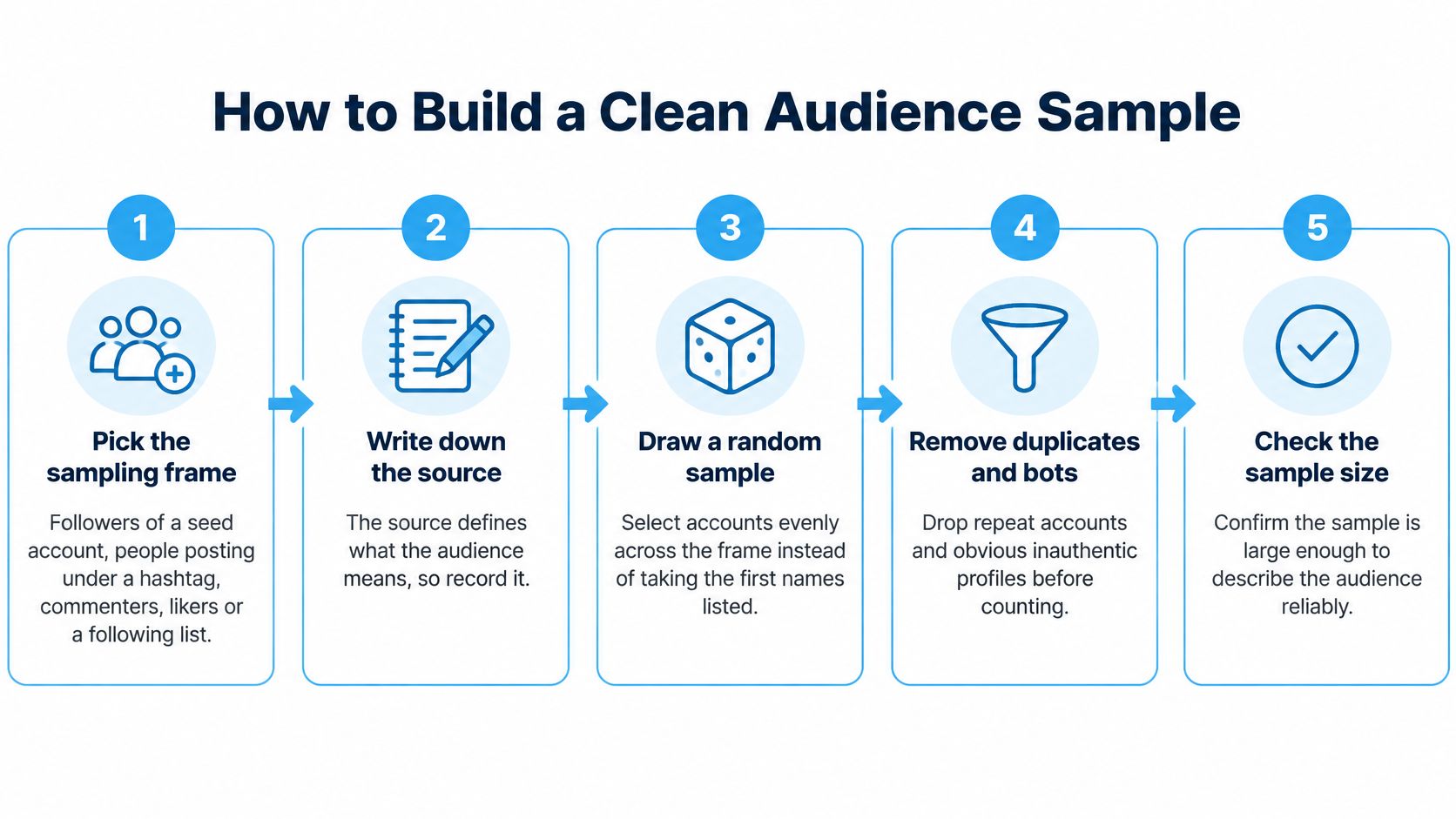
- Pick the sampling frame. Choose followers of a seed account, people posting under a hashtag, commenters, likers, or a following list. Write the source down before you pull anything. The most common slip is mixing sources and then reporting one blended number. With a tool such as HarvestMyData, customers choose a source from followers, following, hashtag, comments, likers, or location, then enter a public Instagram username or profile link.
- Freeze the sample. Record the pull date, the seed account or hashtag, and the number of profiles pulled. Audiences shift, and profiles change. Without a timestamp you can't compare this pull with next month's.
- Deduplicate by canonical username. One person can appear as a follower, a liker, and a commenter. Count that profile once and keep source flags showing where it appeared. Counting one person twice inflates both size and activity.
- Remove profiles you can't analyze. Drop private, deleted, and obviously non-person profiles, such as empty accounts and placeholders. Keep a removal count. If you delete records without noting it, you can't report coverage.
- Enrich each remaining record. Add bio category, language, location signals, follower count, following count, website, and any public contact indicators. Mark missing fields instead of leaving blanks unexplained. Our notes on how to ensure data quality in extracted datasets cover why missingness needs to be tracked, not hidden.
- Segment before you compare. Group records by follower tier, niche, geography, and activity status. Comparisons should happen within like groups. Comparing a small niche account directly with a very large entertainment account tells you almost nothing.
- Hold out a check slice. Set aside part of the sample for validation and track coverage, duplicate rate, and missing-field rate. Manually check that slice against live profiles where you can.
A finished sample isn't a big export. It's clean rows, each with its source, tier, segment, and missing-field flags.
If you can't explain where a row came from and what's missing from it, don't include it in a segment average. That discipline sounds slow. It's what stops a neat spreadsheet from producing a wrong decision quickly.
Spotting Fake Followers Before You Trust the Numbers
Run the quality screen on your deduplicated sample before you read any demographic or benchmark figure. Visible scale can include inactive, irrelevant, or inauthentic accounts.
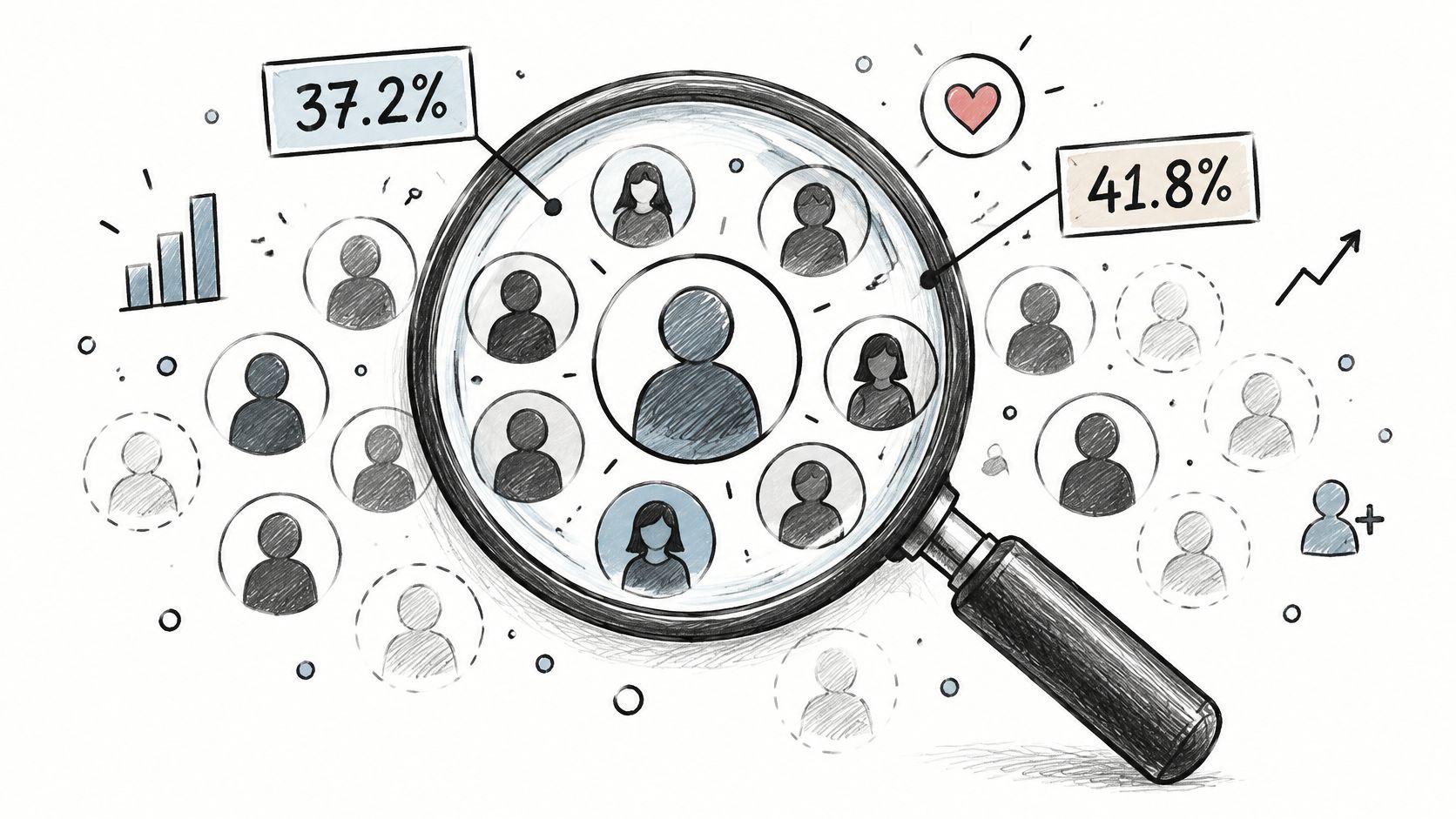
One large study analyzing 100,000 social accounts for fake follower signals reported meaningful signs of inauthentic followers or engagement in 37.2% of influencer accounts, with Instagram at 41.8% in that dataset. That's not a universal prevalence rate. It is reason enough to screen every audience before modeling outreach or campaign value.
Three Quick Checks
- Repetitive comments: Generic comments repeat across unrelated posts with little connection to the content.
- Concentrated engagement: A small set of accounts produces a disproportionate share of likes or comments.
- Unexplained growth spikes: Follower growth jumps sharply around paid or viral activity, then engagement doesn't follow.
Flag unusually high following-to-follower ratios, sparse bios, abnormal posting patterns, and engagement concentrations. Then manually review a stratified sample of both flagged and unflagged records. Reviewing only flagged records tells you nothing about what your screen missed.
Compare observed engagement with follower count using median engagement rate and distributional checks. A single average hides both dead weight and a small, highly active core.
Next, split the screened audience into cohorts for business and creator profiles, niche-relevant profiles, and high-activity profiles. Calculate contact yield and qualified-contact yield for each cohort separately. A cohort can look small and still be your best pool if its qualified yield is high.
Attach a confidence label, high, medium, or low, to every segment. The label should reflect screening results, coverage, and how much of the segment rests on inferred fields. Your deliverable is a ranked, deduplicated dataset with segment, quality score, evidence fields, and validation metrics, not just a list of usernames.
Reading Age, Gender and Location Without Overreaching
A flat follower count says nothing about who the audience really is, and platform-level numbers are too broad to fill that gap on their own. DataReportal's summary of Meta advertising-planning resources estimated Instagram's potential ad reach at at least 1.74 billion users worldwide in January 2025, equal to 26.9% of the global population aged 13 and older.
Those figures measure advertising reach, not unique monthly active users. Treat them as an estimate of addressable audience, not a census.
Published demographic shares have one legitimate job in an audit: checking whether a sample looks plausible. They describe the platform overall, so they cannot tell you what a specific account's followers look like, and copying them into a gap in your data manufactures precision you do not have.
| Reference Check | What to Compare | What It Can Show |
|---|---|---|
| Age skew | Your segment's inferred age bands against Instagram's young overall skew | Whether a young audience reflects the niche or the platform itself |
| Gender balance | Observed male/female split against expectations for the niche | Whether inferred gender labels are skewing the sample |
| Location | Bio city against posted or tagged locations | How much of the segment carries conflicting location fields |
For US-facing audits, keep the check directional. Younger adults are heavily represented on Instagram, so part of any under-30 skew in a sample is platform composition rather than niche signal. If a segment runs noticeably older or more evenly split than the platform baseline, that difference is worth investigating. If it mirrors the baseline, the sample may be average.
Where Inference Breaks
Age, gender, and location inferred from public bios are probabilistic. A bio that reads "NYC" may describe where someone works, not where they live, and posted locations can disagree with both. Projecting a few thousand visible followers onto a full audience also assumes they are representative, an assumption that fails when the sample overweights active users or a single content niche.
Our guide to geographic targeting from public profile signals covers how to handle conflicting location fields at the record level.
Report every demographic share alongside its coverage: how many profiles in the segment actually carried that field. Present uncertain labels as ranges where you can, and when a segment sits far from platform reference shares, audit the sample before concluding anything about the audience.
Engagement Benchmarks by Account Size
Average a 2 million follower account with a 5,000 follower account and you get a number that describes neither. Engagement rates fall as audiences grow, mainly because large follower bases include more casual viewers who never interact.
The chart below shows why a combined average is the wrong reference point.
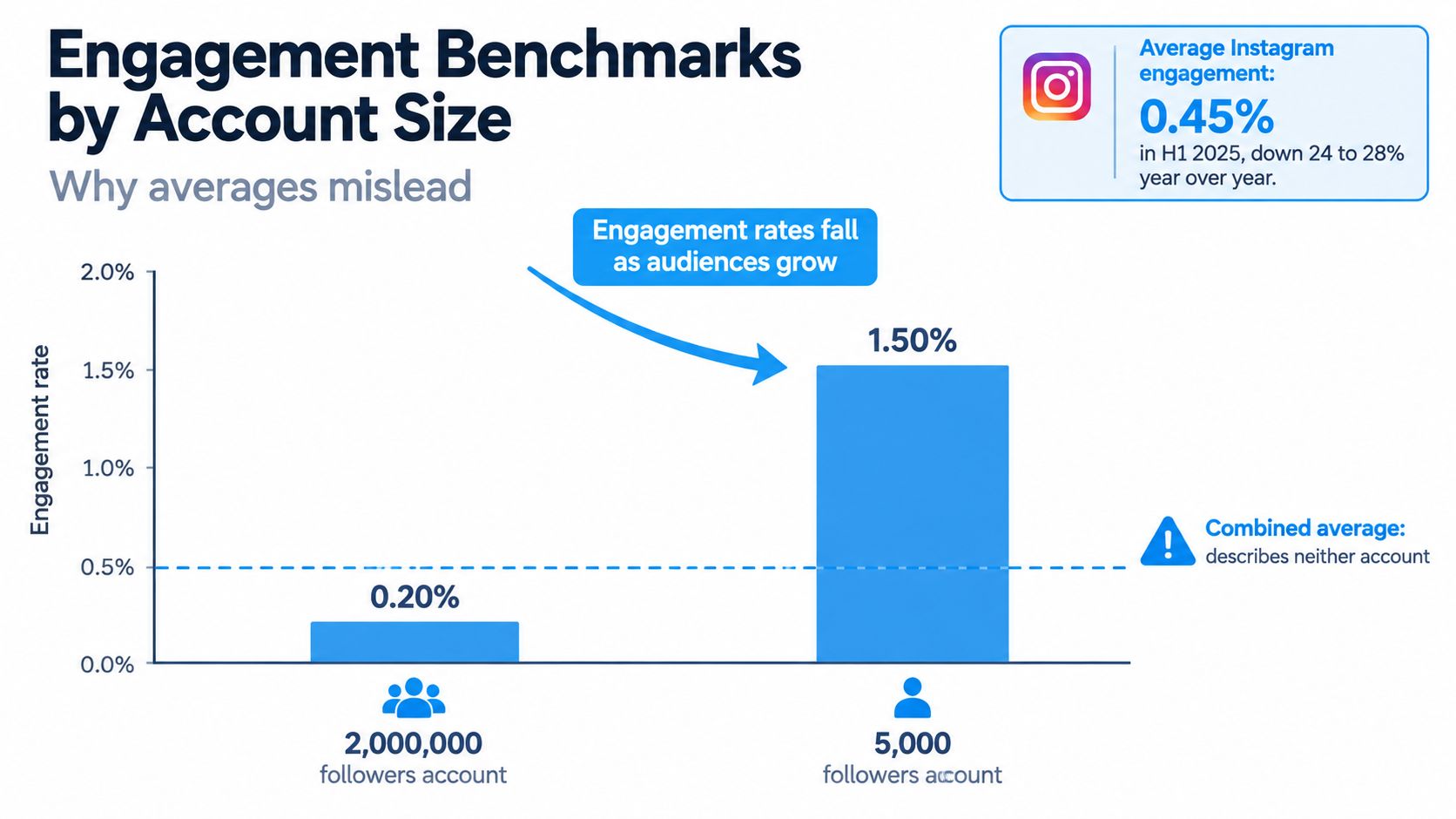
Calculate engagement rate consistently as total likes, comments, saves, and shares divided by follower count, multiplied by 100. That's the formula used in a large benchmark study of 21,286,536 Instagram brand posts. In that data, median engagement dropped from 3.42% for nano accounts to 0.81% for mega accounts.
| Account Size | Follower Range | Median Engagement Rate | How to Use It |
|---|---|---|---|
| Nano | 1K–10K | 3.42% | Upper reference for small, close-knit audiences |
| Mega | 500K and above | 0.81% | Lower reference; judge large accounts against this, not nano rates |
| Middle tiers | 10K–500K | Compute from your sample | Compute the median from your own sample for each tier |
Build Your Own Tier Medians
Compute a median for each tier from your screened sample. Then place each account in percentile bands within its tier, such as bottom quartile, middle half, and top quartile.
Here's a labelled hypothetical. You have 40 accounts in a 10K to 50K tier. Flag bottom-quartile accounts for audience quality review. Give top-quartile accounts a closer look at content and comment quality. You're not asking whether they're good in absolute terms. You're asking whether they're strong among comparable accounts.
The video below is useful after you've set your tiers, when you need to interpret movement within a band rather than chase a platform-wide target.
Watch the edge cases. A small account can beat its tier median and still be ordinary for a niche with high engagement norms. Format also shifts results, since Reels and static posts behave differently, so compare formats separately where your sample allows.
Never judge an account against a single platform-wide average. Judge it against accounts of similar size, format, and niche.
Rank Your Segments by Reach and Saves Before Acting
A follower-based engagement rate can point you at the wrong segment. Average Instagram engagement was about 0.45% in the first half of 2025, down 24 to 28% year over year, while Reels generated stronger comment performance, according to Madgicx's summary of Instagram analysis and ranking signals. Ranking increasingly considers watch time, likes per reach, and sends per reach, not only interactions divided by followers.
The denominator problem cuts both ways. A small account can show high follower engagement with weak reach. A large account can show modest follower engagement while producing strong shares, saves, and qualified visits.
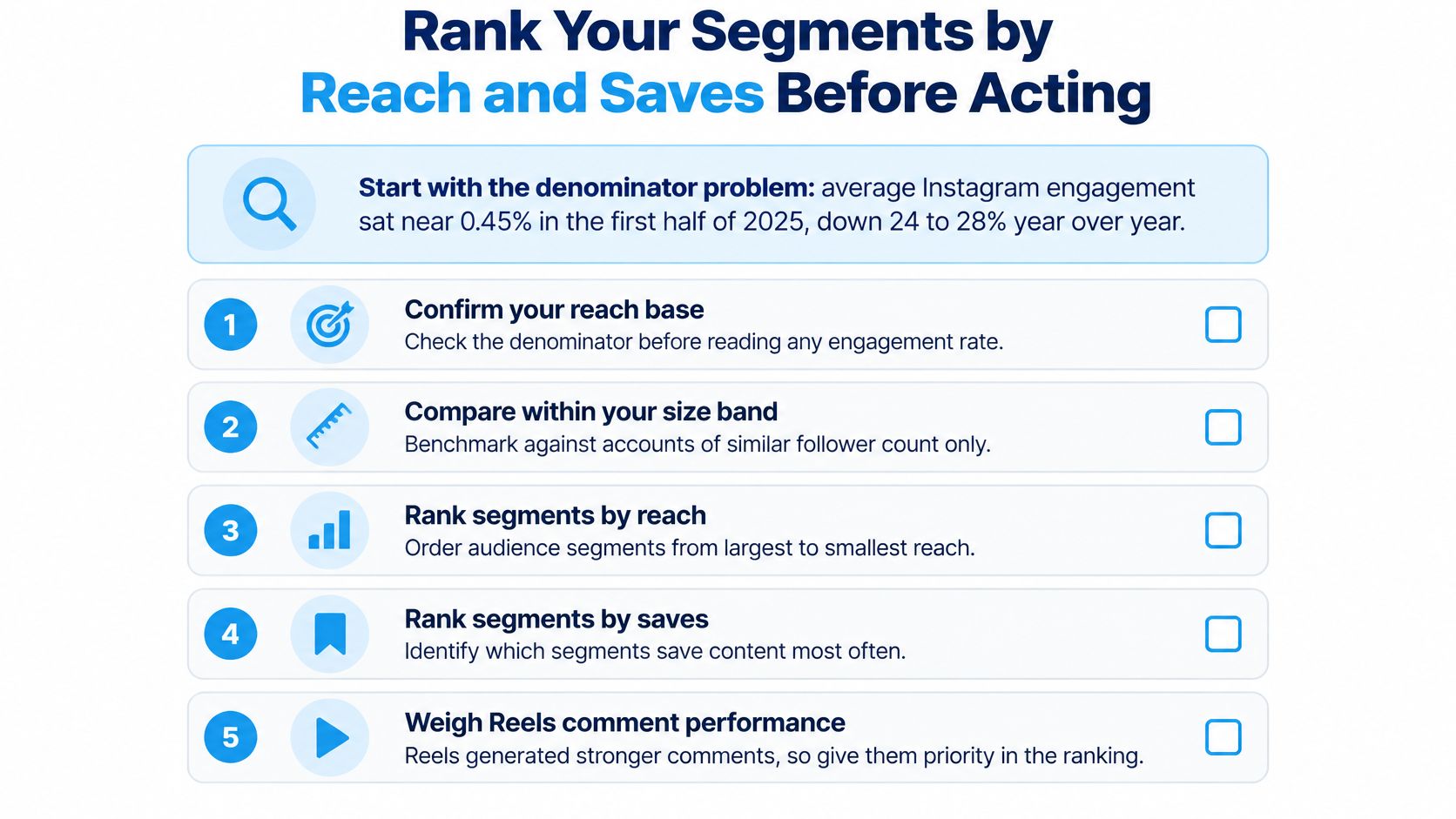
A Ranking Order That Works
- Reach rate first. Confirm the segment saw the content.
- Save and send rates second. Prioritize intent to return and willingness to share.
- Tier-adjusted engagement third. Compare each account with its own size band.
- Contact or conversion evidence fourth. Check for public contactability, website visits, or other recorded action.
Two labelled hypothetical segments show why the order matters. Hashtag commenters show high reach and high save rates, so they go to the top of your list. Followers of a 900K account show engagement that's low for its tier but strong sends, so they stay in the shortlist while you check comment quality and audience fit. A follower-only ranking would have buried the second segment.
Before you act, confirm the sample is screened, the coverage rate is written down, and demographic fields carry source labels. If your ranking leads to outreach, users agree to use data only for lawful purposes, comply with anti-spam laws including CAN-SPAM and GDPR, avoid harassment or stalking, not resell or redistribute raw data, and honor opt-out requests. CAN-SPAM applies if you send email, and GDPR matters for personal data of people in the EU and UK.
Act on your top-ranked segment this week. Then rerun the same pull next month, with the same frame and formulas, to see whether the ranking holds.
Start your next Instagram audience analysis from a defined source, not a raw username dump. HarvestMyData turns public followers, following lists, hashtags, commenters, and likers into a structured CSV with public profile and contact fields, so you can deduplicate, screen, and segment before you decide.
We built HarvestMyData to handle all of this for you.
No proxies, no code, no account needed.