How to Extract Instagram Followers Into CSV and Excel

You've found the account. Its followers are exactly the audience you want: same niche, same language, same likely buyer. Instagram shows a handful of names at the top of the follower panel, then asks you to keep scrolling. There's no export button and no download link, and nothing on screen tells you how to get the other tens of thousands of profiles into a spreadsheet.
That gap is where most of the bad advice lives. Tools promise a magic CSV, guides treat "public" as "permitted", and the file that finally arrives has three usable columns when you need nine. The route you pick decides the fields you get, the permission you need, and how much cleanup waits on the other side.
Table of Contents
- Two checks worth doing before any job
- Why a mega account returns thinner contacts
- Troubleshoot Empty, Blocked or Thin Exports
- Clean and Structure the CSV Before You Use It
- Check Permission and Run the Pre-Send Checklist
Pick the Right Export Method for Your Goal
The right export route depends on three things: whose audience you need, how many profiles you want, and which fields your next step requires. Your own followers can be downloaded through Instagram's account archive. A public profile's audience calls for manual collection or an extraction tool, with different trade-offs in speed, access, and file structure.
| Method | Best for | Output | Needs your login | Main risk |
|---|---|---|---|---|
| Download your information | Your own followers and following | JSON or HTML from Instagram | Yes, your own account | Needs conversion to CSV |
| Manual copy from the followers list | Small public lists | Names and profile details you enter in a spreadsheet | Yes, to view the list while logged in | Slow and error-prone |
| Browser script or unofficial scraper | Public accounts | Depends on the script, commonly CSV or JSON | Usually requires an Instagram login or session cookie | Can break when Instagram changes and may risk account restrictions |
| Managed extraction service (HarvestMyData) | Public followers, following, hashtags, commenters, and likers | CSV or Excel with profile and public contact fields | No Instagram login | You remain responsible for permission and compliant use |
Two checks worth doing before any job
- Check access and permission. HarvestMyData works with publicly available profile information and does not access private accounts or protected content. Confirm that the audience is public and that your intended use is appropriate before collecting or contacting anyone.
- Specify the fields you need. HarvestMyData's CSV can include username, full name, bio, public email, phone number, follower count, category, country, and external URL. Public email availability varies by niche, so treat the file as a prospecting list to review, not a guaranteed set of contacts.
For your own audience, Instagram's archive provides the direct route. For a public audience at scale, HarvestMyData can collect followers, following, or hashtag audiences without your Instagram login; its live status page shows users fetched, emails found, and percent complete. Choose based on the fields and permission checks your workflow requires.
How to Export Your Own Followers List
Your own followers and following are the one audience Instagram will package for you, through the data archive in Accounts Center. No third-party tool, no password handed to anyone, no risk to the account.
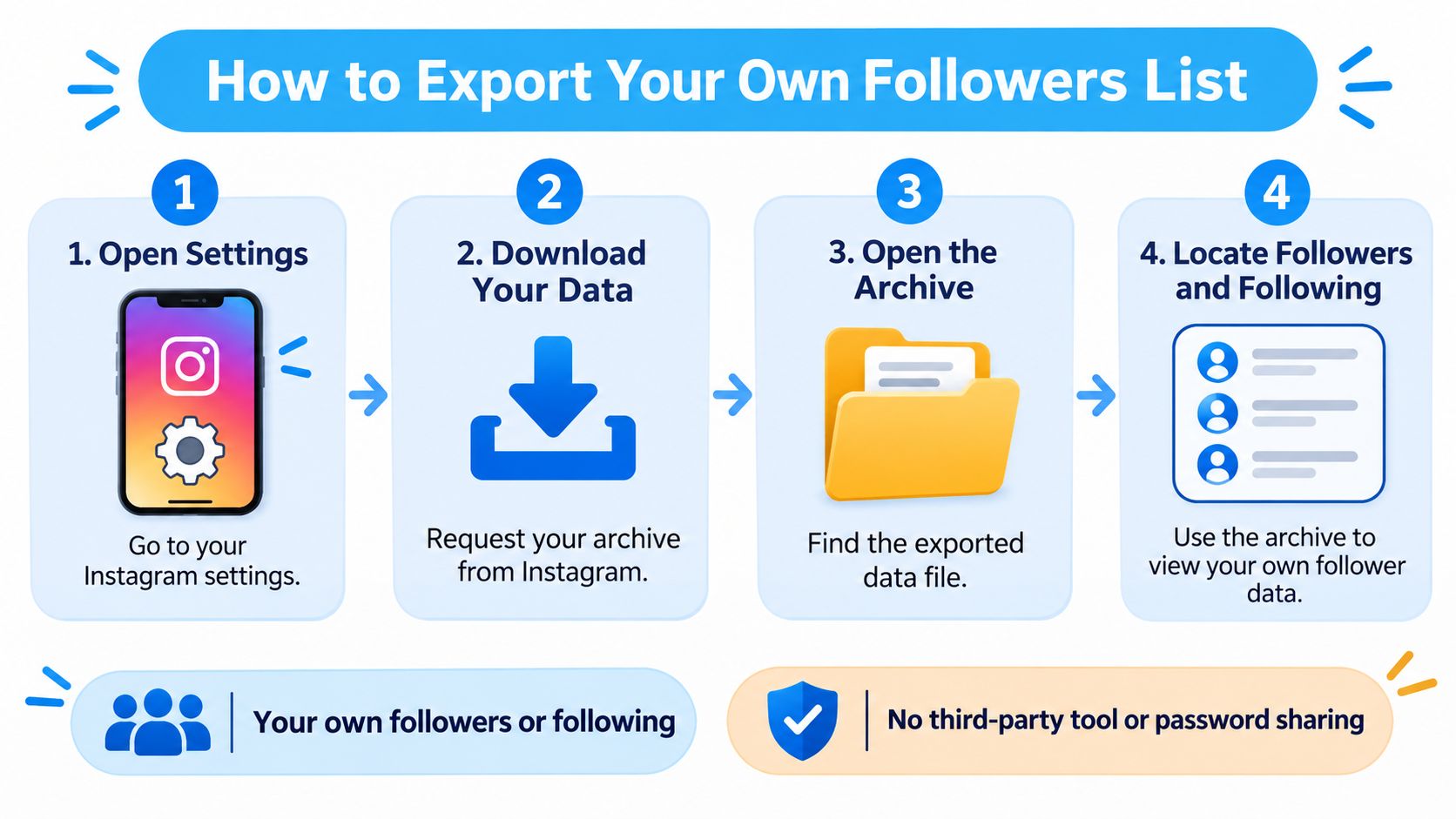
- Open Settings and privacy, go to Accounts Center, then Your information and permissions. Everything Instagram lets you download sits behind that one door, which is why you never need to hand your login to a stranger for this task.
- Choose Download your information and select the account. If you manage several profiles from one login, this is the step that stops you exporting the wrong one.
- Request only part of your information and tick Followers and Following. A full archive can run to gigabytes of photos and messages you'll never open.
- Pick JSON, not HTML. HTML looks friendlier in a browser, but the follower list arrives as nested markup that's miserable to parse. JSON is a key-value structure you can flatten into rows in about a minute.
- Submit and wait for the notification. The archive isn't built instantly, and accounts with years of history take longer than fresh ones.
- Download, unzip, and open the followers file. Each entry holds a username and a profile URL. That's the whole payload.
- Map the two values to columns and add a source column carrying the export date, so the file is self-dating six months from now.
- Reconcile the row count against the follower count on your profile. A small gap is normal, because accounts that were deleted or deactivated since the list was built don't appear.
The archive gives you usernames and links and nothing else: no bios, no emails, no follower counts. Treat it as an ownership backup rather than a contact source. If you want the field-by-field detail of what Meta returns and how the files are structured, this walkthrough of the Instagram data export goes deeper.
How to Extract Public Follower Lists at Scale
A public profile can show a long follower list without offering a useful export. For a larger audience, choose the export route based on the source and the fields you need, then check permission before using the file.

- Choose the source. A follower list gives you one audience; following, hashtags, comments, likers and location are separate sources. HarvestMyData lets customers choose a source, then enter a public Instagram username or profile link. It can scrape followers, following or hashtag audiences from public accounts. For contact data, following lists almost always produce better email rates than followers, so compare the likely fit before ordering.
- Check access and permission. The target must be public. HarvestMyData does not access private accounts or protected content, and you never log in to Instagram through the service. Before using any collected contact details, confirm that your intended outreach is permitted.
- Order a small sample first. Start with 1,000 profiles to inspect the available fields and estimate contact yield for that niche. The CSV can include usernames, names, bios, public emails, phone numbers when available, follower counts and other profile details. About 10% of scraped users have public emails on average, but the rate varies substantially by niche.
- Track processing rather than guessing. Each order has a live status page showing users fetched, emails found and percent complete. Optional push notifications can report progress.
- Allow for processing time. Scraping takes about two minutes per 1,000 accounts. A 100,000-profile job therefore takes roughly 200 minutes, though the status page shows progress as profiles are processed.
- Label the file at download. Include the source username and collection date in the filename. That makes it easier to identify which audience each row came from when you revisit the CSV.
Why a mega account returns thinner contacts
Accounts with more than a million followers tend to have lower email rates because many followers are casual users. Smaller niche accounts under 50,000 followers tend to return higher rates; the useful target range is 10,000 to 250,000 followers. Use the sample to judge the actual audience rather than assuming that a larger list will yield more usable contacts.
HarvestMyData extracts emails directly from business and creator profiles where they are publicly listed. These are contact emails, not guessed or generated addresses. The CSV may also include phone numbers when available, alongside profile information such as name, bio and follower count.
Practical rule: Compare a niche account with a mega account using the same sample size. Check email yield and the fields returned, then use only the data that fits your outreach permissions.
Troubleshoot Empty, Blocked or Thin Exports
Diagnose before you reorder, because most failed jobs are one setting away from working. Work through the symptom, not the tool.
- The file is empty. Check three things in order: the account is public, the username has no typo, and you ordered followers when you meant following. They're separate audiences, and ordering the wrong one produces a technically successful job with the wrong rows.
- You hit a challenge or restriction prompt. Stop the job, wait, and don't hammer the retry button. Repeated aggressive attempts on a flagged session raise the risk of a longer restriction, and nothing about a follower list justifies that.
- Contact yield looks thin. A low share of public emails is normal in many niches and near-certain on very large accounts. Record the actual rate for this audience instead of comparing it to a number from someone else's niche.
- Row count sits below the follower count. Deactivated accounts, platform limits and changes during collection all shave rows. A small gap means the export worked, not that it failed.
- Rows repeat. Deduplicate on the stable platform identifier where the file has one, and fall back to normalized username plus profile URL where it doesn't. Keep the raw values in their own columns so the cleanup stays auditable.
If a job returns nothing twice in a row on a profile you can see in a logged-out browser, the audience source is the problem, not the account.
Clean and Structure the CSV Before You Use It
Raw exports are a starting point, not a database. Meta frames a defensible workflow as separate stages of source discovery, pagination, normalization, validation and compliance logging, as the Instagram Platform documentation sets out, and the same discipline applies whether your file came from a managed job or a script.
Every job should produce a quality report alongside the data: profiles requested, profiles successfully fetched, duplicates removed, profiles with a public email or phone, invalid contacts, and records excluded by policy or privacy rules. When those six numbers don't reconcile, the file isn't ready.
| Column | What it holds | Clean-up rule |
|---|---|---|
| username | Instagram handle | Lowercase and trim spaces; use as dedupe key |
| full_name | Display name | Keep raw value and trim whitespace |
| public_email | Email from a public profile or business page | Check syntax, record source, mark unverified |
| phone | Public phone number | Use one format and label the source |
| bio | Profile text | Keep raw; use only for segmenting |
| follower_count | Follower total | Convert to integer; leave blank if missing |
| category | Business or creator category | Map to your own segment list |
| country | Location signal | Keep only if publicly stated; flag guesses |
| external_url | Website link | Canonicalize and remove tracking parameters |
Contact discovery is an evidence process, not a lookup. Inspect only publicly exposed profile fields and linked public business pages, note where each value was found, and give every contact a status: unverified, syntax valid, or manually confirmed. A found address is a candidate until someone has checked it.
Phone numbers deserve their own pass, because a number that looks tidy can still be undialable once you prepend a country code. A working guide to validating customer phone numbers covers the format rules that catch most of those failures before they reach a dialler or a CRM field.
Don't benchmark your yield against a fixed percentage. The share of profiles with public contact details swings with niche, geography, account type and how forthcoming businesses in that market are, so the only number worth tracking is the one your own jobs produce. The broader data quality practices that apply to any imported list apply here too.
A column is only ready when every value in it can be traced back to a field that existed, publicly, on the profile at collection time.
Check Permission and Run the Pre-Send Checklist
The assumption to kill first: the profile is public, so the data is fair game. Instagram's Terms prohibit automated access or collection without express permission, including when the collection happens while you're logged in, as the Instagram Help Center states. Running a job without a customer's login lowers the exposure of someone's credentials, and that's a real benefit, but it doesn't by itself authorize the collection.
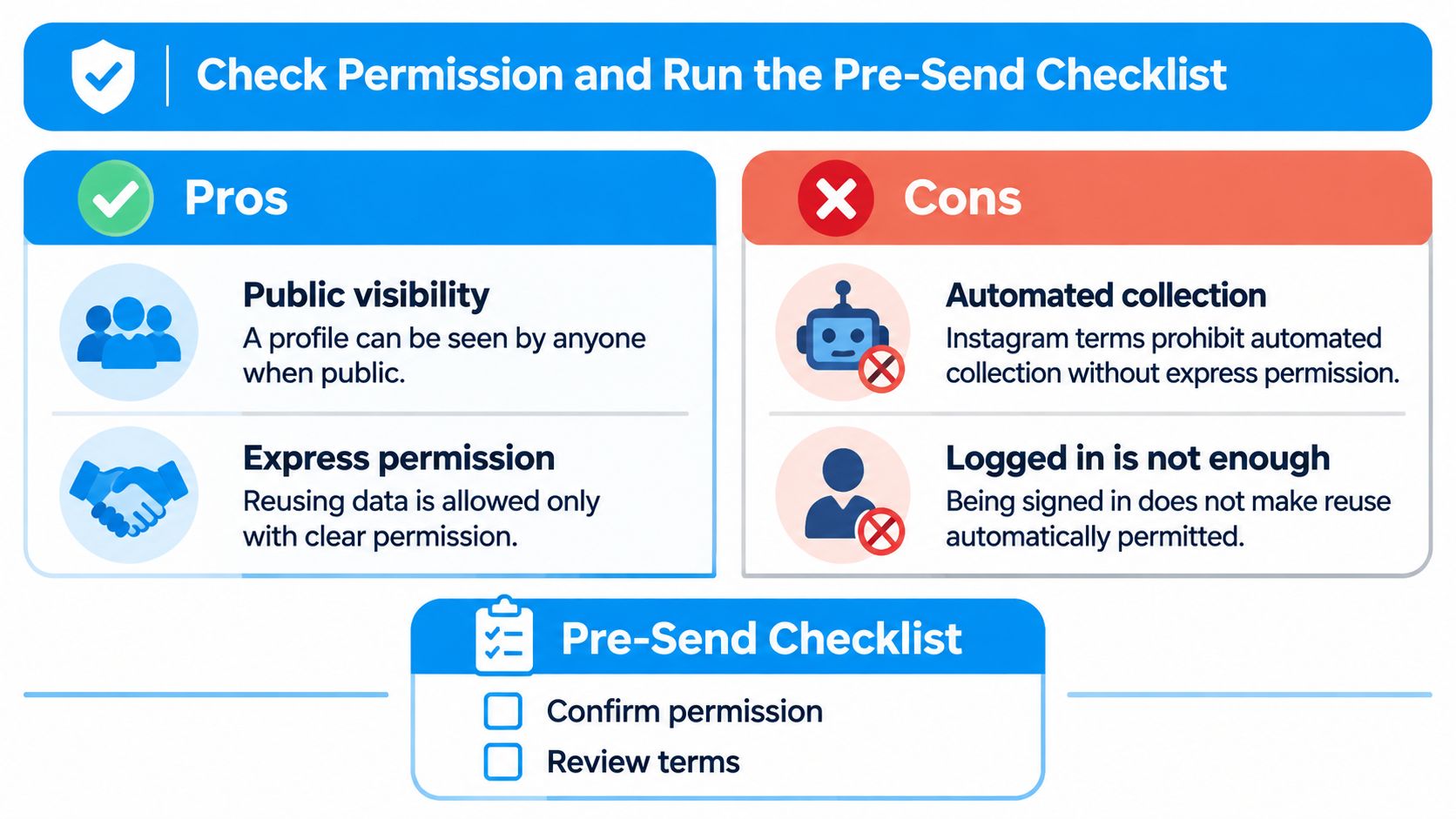
Regulators take a similar line, and they're stricter than most scraping guides admit. The UK Information Commissioner's Office says publicly available social-media data may be used for marketing only subject to data-protection requirements: a lawful basis, privacy information, an assessment of whether the use is fair and expected, and a working way to honor objections. Its direct marketing guidance goes further, warning that a public account, or someone actively seeking a large audience, doesn't mean that person expects their details repurposed for direct marketing.
That's uncomfortable for anyone building a cold outreach list, and it's the part that decides whether the file is usable at all. The legal detail worth knowing: UK GDPR can still apply when publicly obtained information identifies an individual acting in a business capacity, and marketing calls, email and social direct messages fall under PECR. Whether web scraping is legal in your jurisdiction is a separate question from whether you may message the people you found, and this explainer on whether web scraping is legal is worth reading before you commit to a method.
The pre-send checklist
- Log the provenance of every row. Source account, audience type, collection date and job reference, stored with the file rather than in someone's memory.
- Screen against suppression and objection lists. Anyone who has opted out before stays out, whatever channel this campaign uses.
- Separate business contacts from personal ones. A public profile with a company email in the bio is a different proposition from a personal account you found through a hashtag.
- Set a retention period and enforce it. Keep the list for the length of the campaign, then delete it and record the deletion.
- Give a clear opt-out and act on it the same day. An objection honored late is nearly as damaging as no opt-out at all.
Suppression is the unglamorous part that keeps you out of trouble. If you already run email, the guide to honoring guest opt-outs across channels shows how one shared list carries an objection from one channel into the next, which is exactly the behavior a folded follower export needs.
Before import, audit a sample of at least a hundred rows per job: does the profile still exist, is the field accurate, how many duplicates slipped through, how old is the file, and is anyone on it suppressed? Ten minutes of sampling catches the failures that cost you a domain reputation.
Pick Your Export Route and Test One Sample First
Match the route to what you hold. If the list is your own followers, the archive export costs nothing but patience, and the JSON provides a clean two-column dataset. If you need a few hundred names from a public account for a one-off review, manual copying still beats paying for a job. For anything larger, sample before you scale.
Sampling is cheap enough that skipping it makes no sense. Followers jobs run $3 for 1,000 profiles, $12 for 10,000 and $99 for 250,000, so a 1,000-profile test tells you the columns, the contact rate for that niche and whether the file opens cleanly in Excel for the price of a coffee. Orders can go through the web form or the Telegram bot, which handles payment and file delivery inside the chat.
Then run the quality report and the permission checklist before the first message leaves. Nothing in a CSV tells you whether the people in it may be contacted, and no amount of cleaning fixes a list you weren't allowed to build.
One action this week: pull a single 1,000-profile sample from the account you've been eyeing, open it, count how many rows carry a usable public email, and check it against the checklist before it goes anywhere near your CRM.
If you'd rather not babysit a browser tab or hand your Instagram login to an extension, HarvestMyData turns any public account's followers, following list, hashtag, commenters or likers into a UTF-8 CSV or Excel file with one row per profile, including public emails, phone numbers, bios, follower counts and categories. Order through the site or the Telegram bot, watch the live status page fill in as profiles are processed, and get a 1,000-profile sample first so you can check the contact rate for your niche before scaling up.
We built HarvestMyData to handle all of this for you.
No proxies, no code, no account needed.