Email Listings Service: How It Works and What to Check

The usual advice about an email listings service is to buy the biggest file you can afford, or to pull every public address in sight and start sending. That advice confuses a row count with an audience. A spreadsheet full of addresses can still be stale, off-topic, or unlawful to mail, and none of those problems show up in the total at the bottom.
What the file is worth depends on three things you can check. You should know where each address came from, whether you have a lawful reason to write to that person, and whether the address will survive basic send checks. Size is the least of those tests. A short, sourced, current list will beat a huge export that nobody can explain.
Table of Contents
- Four sources, four different risks
- Why account size changes the rate
- What you should see in the finished file
- The records you should keep - What you may still do with the file
- Authentication before the first batch
- A price ladder you can do the math on - Published price tiers for followers scraping (HarvestMyData)
Where Email Listing Contacts Come From
An email listings service takes addresses from a defined source, attaches fields such as a name, a category, or a website, and hands you a file. The rows look similar no matter how they were gathered. The risk does not. Each source changes consent, freshness, and what you can do next, which is why two files with the same row count can be worth very different amounts.
Think of a printed business directory from 2009 sitting next to a fresh list of shops that asked to be included this month. Both are "lists." Only one tells you the shop still exists and wanted to be found. Email files work the same way.
A purchased list is a bulk database compiled by someone else and sold onward. Permission is often unclear, and many of the addresses have gone quiet since the compiler last touched them. You own a file, but you inherit whatever the compiler did or failed to do. A rented list is different in one important way. The partner mails its own subscribers for you, so you never see the addresses and you can't check them, remove bad ones, or prove what you were given.
Public profile extraction collects contact details that a business or a creator published on their own profile. That information is public. It is not the same thing as marketing consent. A review of how list-based email scaled into an overload problem draws that line clearly. Collecting or discovering an address is not the same as having permission to market to it, which is why opt-in rules, accurate sender identity, and a working opt-out became the baseline for commercial email.
Opt-in sign-ups are the opposite shape. People gave an address for a stated purpose, so consent is explicit, but the volumes stay small because each address was earned rather than harvested.
Four sources, four different risks
| Source | Where addresses come from | Consent basis | Freshness | Main risk |
|---|---|---|---|---|
| Purchased list | Bulk databases compiled by third parties | Often unclear | Often stale after the sale | Bounces, complaints, and unknown permission |
| Rented list | The partner's own subscribers, mailed by the partner | Set by the partner | Set by the partner | You can't verify the addresses |
| Public profile extraction | Business or creator profiles that publish contact details | Public, not marketing consent | Current at collection time | Public does not mean permission |
| Opt-in sign-up | People who gave an address for a stated purpose | Explicit | Fresh while they keep engaging | Small volume |
If you are weighing public profile extraction against hand-built prospecting, our guide to turning public web data into sales leads walks through what that collection step does and doesn't decide for you.
Practical rule: Know where each address came from before you count the rows.
Which Audiences and Niches Produce Usable Emails
Across our own jobs, about 10% of scraped profiles have a public email. That figure is an observation from the work, not an industry benchmark, and the niche moves it a lot. Treat it as a starting guess, then confirm it with a 1,000-profile test on your own audience before you publish any yield claim or place a large order.
Who you point the job at matters more than how many profiles the job can hold. Scraping a following list almost always gives better email rates than scraping followers. People and brands tend to follow peers, suppliers, and accounts they work with. A raw follower list mixes those peers with casual users who never publish a contact.
Business pages, creators, and coaches list an email more often than personal accounts. Business-focused niches such as fitness coaches, photographers, real estate agents, and e-commerce brands typically yield 15 to 30% in our jobs. Again, that is what we see on those audiences, and a small test should confirm it before you scale.
Why account size changes the rate
Mega accounts with more than one million followers tend to have lower email rates, because most of those followers are casual users. Smaller niche accounts under 50,000 followers tend to list more contacts. The range many teams work in is 10,000 to 250,000 followers. Inside that band you still measure. You don't assume.
| Segment | Typical email rate | Note |
|---|---|---|
| All scraped profiles, average | About 10% | Baseline across our jobs, confirm on a test |
| Business-focused niches | 15-30% | Fitness coaches, photographers, real estate agents, e-commerce brands |
| Accounts under 50K followers | Higher than the job average | Smaller niche accounts tend to list more contacts |
| Accounts over 1M followers | Lower than the job average | Most followers are casual users |
| Accounts with 10K-250K followers | Confirm on a 1,000-profile test | Common target range, not a guaranteed rate |
Say you sell bookkeeping to independent photographers. Two thousand profiles of photographers in cities you serve will beat twenty thousand rows pulled from a celebrity's followers. You can read the bios, match the category, and decide who is a real prospect. The off-topic rows only add bounces and complaints.
Run the same small test on two audiences before you commit. Compare a following list against a follower list, or one niche hashtag against another. Keep the profile count identical so the email rate is the only thing that changes. The audience with the higher share of relevant, published emails is the one worth a larger order.
How a Listing Is Built From Public Profiles
A large export is not automatically a useful contact list. Its value depends on how the audience was selected, which public fields were collected, and whether the resulting records are suitable for your next step.
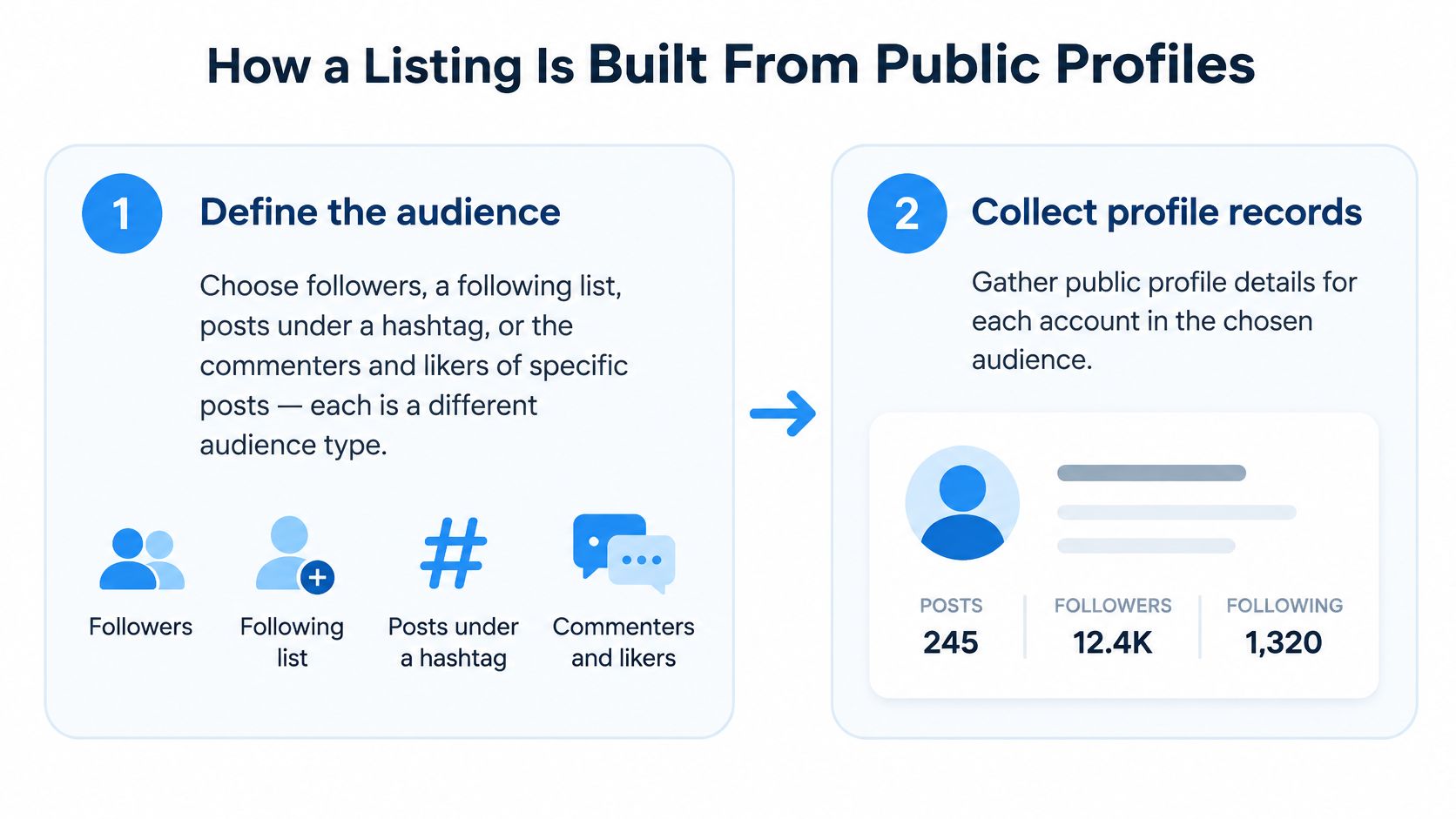
- Define the audience. Select followers, a following list, profiles associated with a hashtag, or people who commented on or liked specific posts. Each source represents a different kind of interest. A hashtag may bring together people discussing a subject, while a liker list captures people who interacted with one particular post. Keep those sources distinct so you can judge which group fits your purpose.
- Collect profile records. Each profile is checked individually, rather than relying only on the bio field. Public contact details, category, or website information may appear elsewhere on a profile, and those details help you understand what the account represents.
- Extract public contact fields. HarvestMyData extracts publicly listed emails and phone numbers from Instagram business and creator profiles. These are contact details the profile has made public, not addresses inferred from a person's name and a company domain. A published address is still only a record to assess, not automatic permission to send marketing.
- Enrich each record. The profile information can include username, full name, bio, follower count, category, and website. Country is available as an add-on for profiles with emails. These fields help you sort the file and decide which records warrant further review, without opening profiles one by one.
- Standardize the export. The finished data is arranged with one row per profile in a UTF-8 CSV or Excel file. Consistent columns make it easier to filter records or import them into a spreadsheet or CRM. Check for repeated profiles and blank contact fields before treating the export as a ready-to-use list.
- Track the job and receive the file. A live status page updates as profiles are processed, showing users fetched, emails found, and percent complete. Optional push notifications are available, and you can close the browser while the job runs. Results are delivered as CSV and Excel files by email, usually within an hour for many jobs. The email address is entered on the secure payment page, and the result is sent to that address.
The profile-level approach also applies to other networks. DMpro's Twitter lead generation walkthrough offers a parallel example of collecting profile information rather than relying on one visible field.
What you should see in the finished file
A profile without an email can still help you assess audience fit. Its name, bio, category, follower count, and website may show whether it belongs in a later review or should be excluded. Filtering rows with blank email fields is a routine quality step, not evidence by itself that a job failed.
Look for consistent columns and profiles that match the audience you selected. Then compare the filled contact fields with what you expected from that niche. If a business-focused list has very few emails, or its categories do not resemble the intended audience, pause before importing it into a sending tool. Check the source and the records first. Public availability establishes where a contact came from, not whether that contact is ready for outreach.
What Public Availability Does and Does Not Permit
A founder finds a coach's email on a public profile, pastes it into a sales sequence, and sends a pitch the same afternoon. The coach complains. The sending domain gets blocked. The founder is surprised, because the address was sitting in plain sight.
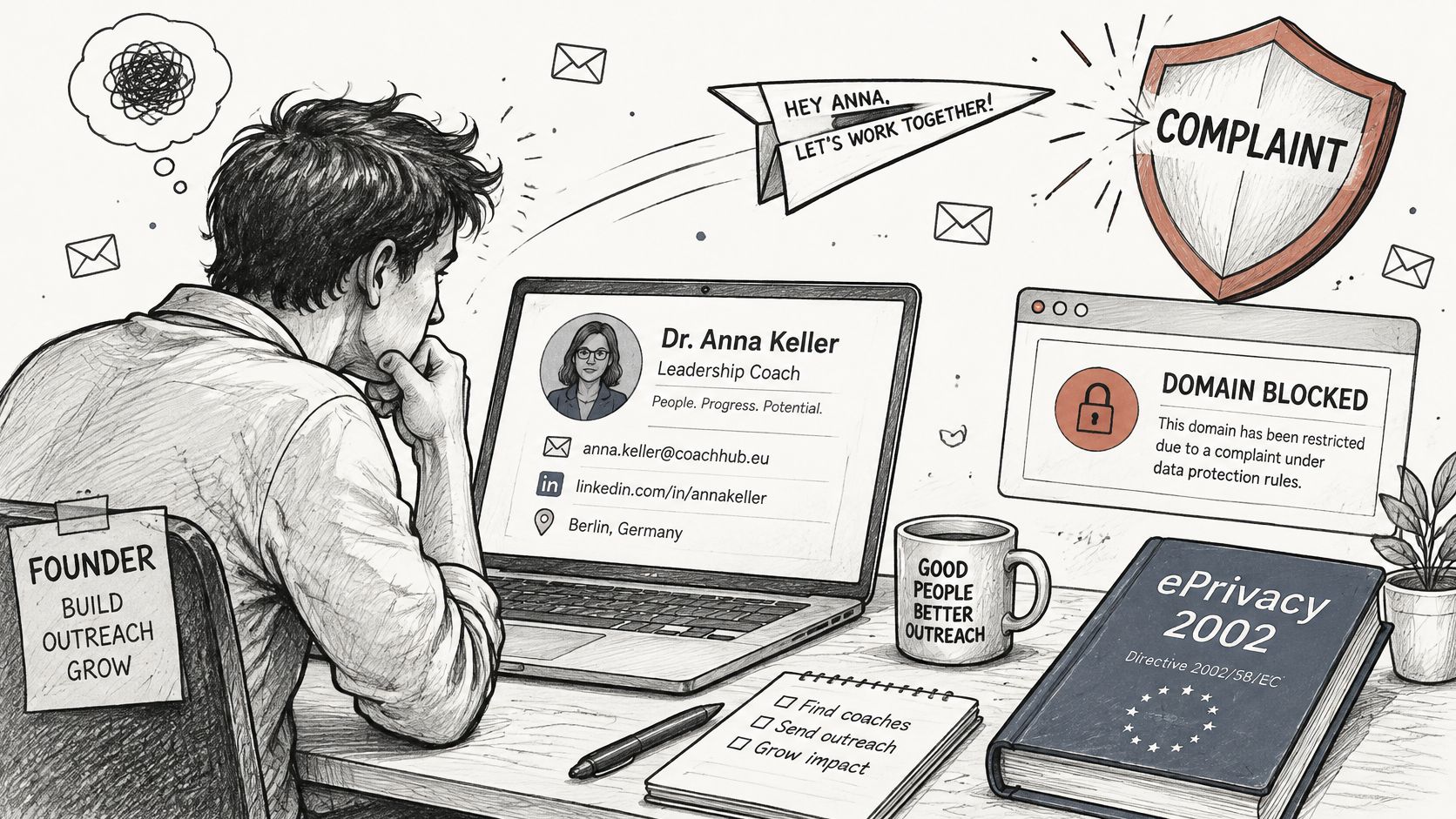
Public availability is not marketing consent. The UK Information Commissioner's Office guidance on business-to-business marketing states that publicly available personal data may still be subject to UK GDPR, and that electronic-mail marketing can remain subject to PECR even when the details came from a public source. The same guidance warns that you must not assume a person agrees to direct marketing merely because their information appears online. Fairness depends partly on where the data came from and what you intend to do with it.
Separate a business-role address from a personal one before you decide anything. A studio's published studio address raises different questions from a named individual's private inbox that happens to be visible. Country on a row should trigger a jurisdiction review, not a wider blast, because privacy and electronic-marketing rules are not the same in every market you might have enriched.
European rules pushed commercial email to individuals toward opt-in. United States rules require accurate sender information, subject lines that aren't deceptive, and a working way to opt out. Europe's data-protection regime then added stronger duties around lawful basis, transparency, and enforcement. Those are different tests, and a file that mixes countries doesn't pass all of them at once. If you want the consent side in more detail, our notes on GDPR and email marketing are the place to read it, not a substitute for advice on your own campaign.
Customers who use a listing built this way agree to use the data only for lawful purposes, to comply with anti-spam laws including CAN-SPAM and GDPR, to avoid harassment or stalking, to not resell or redistribute the raw data, and to honor opt-out requests. The file does not waive any of that.
The records you should keep
For each address you might write to, keep a short governance note beside the row:
- Source: The profile URL or the profile identifier, so you can show where the address was public.
- Collection date: The day you collected it, because a public page changes.
- Stated purpose: Research, qualification, or a specific outreach offer, written in plain words.
- Jurisdiction: The market you believe the person is in, and which rules you reviewed.
- Suppression status: Whether the address is clear to contact or already removed.
- Objection history: Any unsubscribe, complaint, or "don't write again," kept so a later export can't revive it.
A relevant public profile is not an opted-in subscriber, and uploading thousands of those addresses into an automated campaign is a different decision from writing one relevant note to one business.
What you may still do with the file
The defensible uses are research, account qualification, and carefully documented business outreach. They are not proof that every listed address can receive an unsolicited pitch. Every message you do send should name who you are, give a real contact method, and include a working unsubscribe. Store the lawful-basis review next to the record, not in a slide nobody opens again.
This briefing is worth fifteen minutes before that first pitch, because the blocked-domain story is easier to prevent than to undo.
Freshness, Deliverability and Pre-Send Checks
Once the file is in your hands, the risk moves from collection to sending. A clean export can still hurt a domain if you mail it carelessly. Run the checks in this order, and don't skip ahead because the CSV looks tidy.
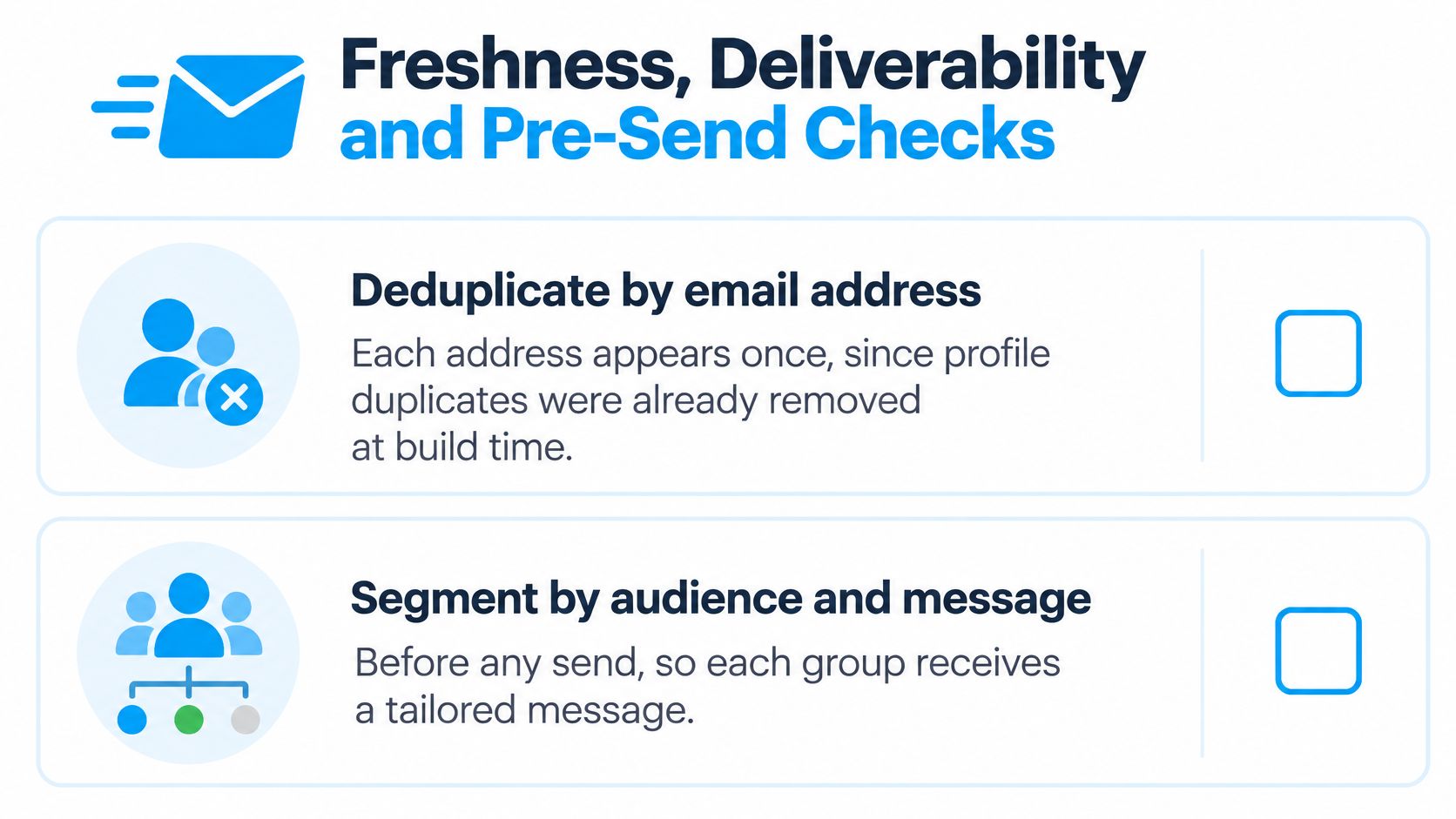
- Deduplicate by email address. Profile duplicates should already be gone. Two different profiles can still share one inbox, and mailing it twice looks like a sloppy list.
- Segment by audience and message. A photographer and a real-estate agent should not get the same opening line. Split the file before anyone presses send, so each group gets a note that matches the role you collected.
- Set a rule for role accounts. Decide what you do with info@, sales@, and hello@, then apply that rule to every file. Role inboxes are often shared, rarely the buyer, and quick to hit "spam."
- Check syntax and domain, then validate. A malformed address or a dead domain will bounce. Bounces are how mailbox providers decide you don't know your own list.
- Suppress unsubscribes and prior objections. Remove them from this file and from every export after it. A new scrape is not a reason to write to someone who already said no.
- Confirm a lawful-basis record for each market. If the note from your review is missing, that address waits. Sending first and documenting later is how the founder's story starts.
- Authenticate the sending domain. Publish SPF and DKIM, start DMARC on a monitoring policy such as p=none, and make sure the authenticated domain lines up with the visible From domain. Read the aggregate reports, confirm which systems are legitimately sending, and only then tighten enforcement. Gmail's sender requirements say every sender needs SPF or DKIM, and bulk senders need SPF, DKIM, and DMARC. Google defines bulk as roughly 5,000 or more messages in 24 hours to personal Gmail accounts.
- Send in stages. Start with a small batch. Increase only while bounces and complaints stay low. A file of 1,000 profiles and a file of 250,000 profiles do not set a safe sending volume. Mailbox-provider reputation does.
Authentication before the first batch
Invalid or mismatched addresses don't just bounce. They weaken the authentication signals you just published, because providers see mail that fails and mail that nobody wanted. Keep the original address in the export so validation, suppression, and segmentation all point at the same string.
Check the data before you put the domain at risk. A large file is a storage fact. It is not a permission to send it this week.
Measuring a List by Results, Not Volume
Cost per email found is a vanity number. It falls whenever a job returns more addresses, including stale and irrelevant ones. Cost per qualified reply tells you what a contact costs, because it only counts people who answered and fit the offer.
Sender.net's email marketing statistics put the average unsubscribe rate at 0.22% in 2025, up from 0.08% in 2024, with average spam complaints about 0.07% and reported global inbox placement about 87.2%. A technically successful extraction can still land well under those marks if segmentation, validation, personalization, and suppression are weak. Inbox placement near that level is not a cushion you can spend on a dirty file.
Open rate is a poor primary metric. Privacy features inflate it, so a high open can mean almost nothing about interest. Clicks, replies, bounces, complaints, and conversions are the numbers you can act on. For audiences built from public profiles, relevance swings even inside one hashtag, which is another reason a single open rate hides the split between good rows and noise.
Say 10,000 raw rows produce 1,000 published emails, and validation plus suppression leaves 800. Those 800, mailed in a message that matches the niche, can beat a larger export that you never filtered. The smaller send also protects the domain, because fewer bad addresses reach a mailbox provider.
| Metric | Benchmark | What it tells you |
|---|---|---|
| Unsubscribe rate | 0.22% in 2025 (0.08% in 2024) | Relevance of the segment |
| Spam complaint rate | About 0.07% | Sender trust and consent quality |
| Inbox placement | About 87.2% | Authentication, reputation, and list hygiene |
| Open rate | Not a reliable primary metric | Inflated by privacy features |
| Cost per qualified reply | Order cost divided by replies that meet your rule | The real cost of a contact |
Set the pause points before the first batch. If bounces climb past the line you chose, or complaints rise, you stop and fix the file rather than "pushing through." Compare each new list with the previous one on replies and complaints, not on how many emails the job found.
Teams that live on outbound can use the same scorecard when they build B2B email leads. The question is which conversations the list started, not how thick the export was.
Judge the list by qualified replies per dollar, and retire any segment that buys complaints faster than conversations.
Choosing a Service and Confirming Permission Before You Buy
Ask these questions before you pay for any email listings service. A polished sample is not a substitute for the answers.
- Where do the addresses come from? You want public profiles collected for your order, not a recycled database with no collection date.
- Is every profile checked, or only the bio? Contacts and category often sit outside the bio line. A bio-only pass under-counts real emails and over-counts junk.
- Which files do you get? CSV and Excel, one row per profile, with the source fields still attached, are what a CRM can use.
- How long does delivery take, and can you preview a sample? A preview is how you see blank rates and categories before you buy a large tier.
- What do the data-use terms require? Lawful use, anti-spam compliance, no resale of the raw file, and honored opt-outs should be written down.
- Who handles objections? If unsubscribes aren't removed from later files, the next order recreates the complaint.
A price ladder you can do the math on
Followers-scraping tiers are published, so you can see the bill before you order rather than guessing a per-row rate.
| Profiles | Price (USD) |
|---|---|
| 1,000 | $3 |
| 5,000 | $6 |
| 10,000 | $12 |
| 25,000 | $18 |
| 50,000 | $25 |
| 100,000 | $49 |
| 150,000 | $69 |
| 200,000 | $89 |
| 250,000 | $99 |
Published price tiers for followers scraping (HarvestMyData)
A preview beats a leap. There is a sample CSV you can download, and the 1,000-profile tier is $3, so a test on one audience is inexpensive.
This week, order about 1,000 profiles from a single audience you already understand. Run the pre-send checks. Mail only the rows that survive, in a small batch, from an authenticated domain. Then compare replies and complaints with the benchmarks you set, and with your last list. Scale the order only if that test still looks like people you can lawfully contact.
The provider's export does not confirm permission. Your source note, your purpose, your market review, and your suppression list do. If those aren't filled in, the cheapest tier is still too expensive.
HarvestMyData turns an Instagram audience you define, such as followers, a following list, a hashtag, or people who commented or liked, into a CSV or Excel file of publicly listed emails, phones, and profile fields. That file is a starting point for validation and a lawful-basis review, not a ready-made blast list. If you want to test one niche before you spend real sending reputation, visit HarvestMyData and start with a small preview order.
We built HarvestMyData to handle all of this for you.
No proxies, no code, no account needed.